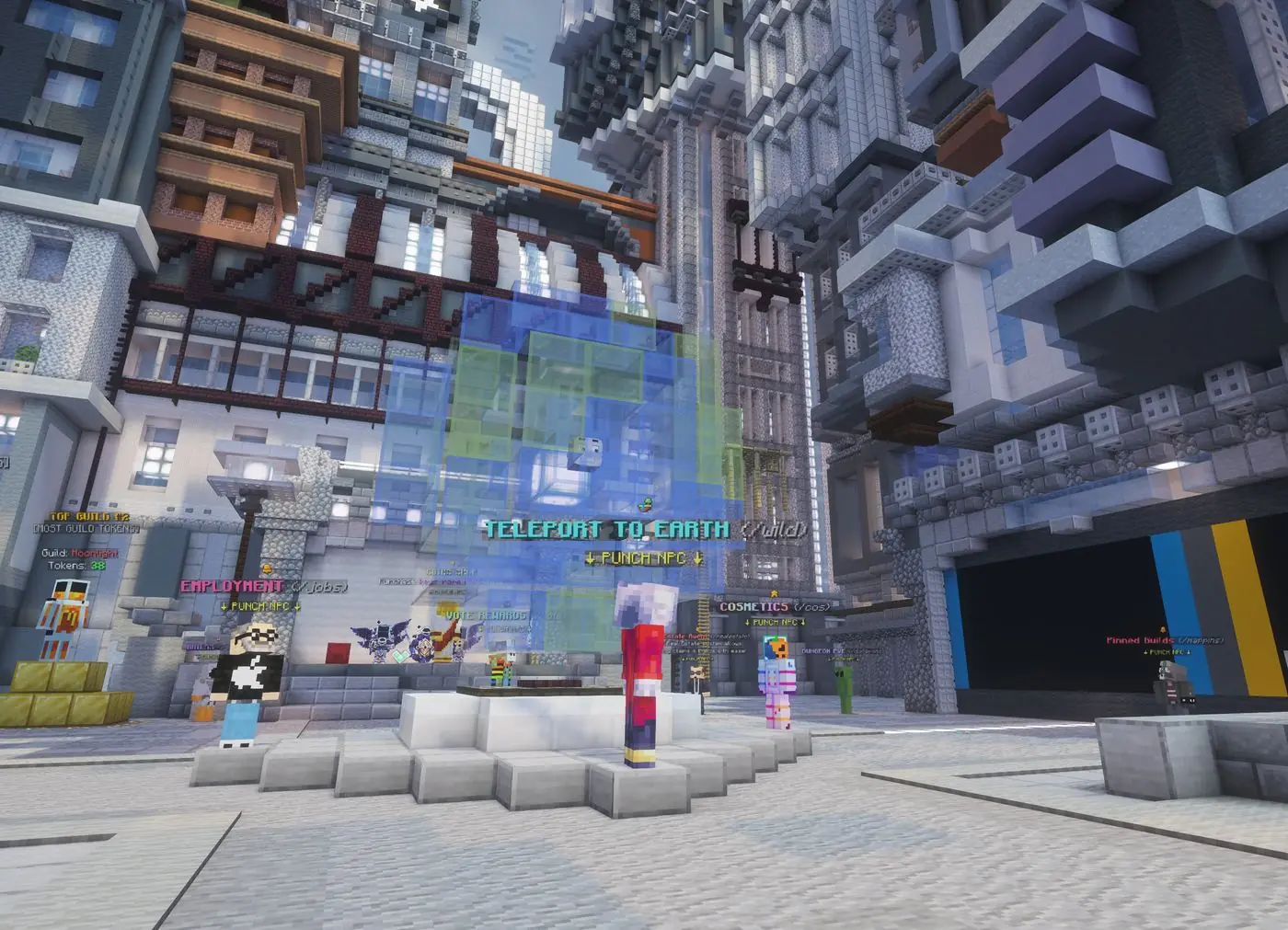
CosmosMC's Earth SMP is a free, public Minecraft server where the world is a 1:80 scale
replica of the real Earth. Join on Java or Bedrock at play.cosmosmc.org, travel
to your real hometown, claim the land, and build - the world never resets.
Spawn on the Earth SMP - punch the NPC to teleport out into the world
Server facts
Server
CosmosMC - Earth SMP
Unique players
3M+
Server age
6+ years
Community
Amazing & friendly
Access
Free, public, no whitelist
Versions
Any version, Java & Bedrock crossplay
Earth scale
1:80 of the real Earth
World resets
Never
Griefing
Not allowed + golden-shovel land claims
The world
Play Minecraft on Planet Earth
Every continent, country, and coastline is generated from real Earth geography at 1:80 scale
- one of the largest-scale Earth maps of any public Minecraft server. The land is real, but
every building is player-made: cities rise where players settle, and untouched regions wait
for someone to be first. Establish a kingdom, form a town with your friends, or set out to
conquer a whole continent - it's your planet now.
Find your country, walk to your city's real location, and claim it with a golden shovel
- one click and the land is protected. Build your house, your street, or your whole
city, from Tokyo to a tiny island nobody has visited yet.
Travel the planet
/warp menu + /wild
Use the main /warp menu to reach key destinations, or /wild to
drop into a random spot on the globe. Trade with other players in a fully player-run
economy as you go - no admin shops, real prices.
The Eiffel Tower in Paris - built block by block by playersThe community gathered on the tower for an event
Land claiming
Claim it and it's yours
Grab a golden shovel, click the land you want, and it's protected - builds, chests, and
items included. Claims work anywhere on the globe, from a single house plot in your hometown
to the fields around your kingdom. And because griefing is against the rules on top of claim
protection, what you build stays yours - forever, since the world never resets.
A claimed plot - protected down to the last chest
Vehicles
Planes, tanks, and hoverbikes
Why walk across a planet when you can fly? Grab planes, helicopters, trains, race cars,
hoverbikes, tanks, tractors, and drills from the /shop with in-game money.
Tractors turbo-charge your farming, drills chew through mountains, and planes turn a
cross-continent trek into a scenic flight.
Race cars, tractors, tanks, and a plane at the docks - all from the /shop
Real estate
Location, location, location
Own a nice piece of land someone else wants? List it on the real estate market - players pay
huge cash for fancy builds and prime locations. Fallen in love with someone's house? Watch
the market and make it yours. And when a player hasn't logged in for over a year, their
claim expires and is listed automatically - amazing finds appear all the time.
A waterfront mansion - the kind of build that sells big on the market
How to join
Joining takes 15 seconds
Java Edition
PC · any version
Open Minecraft and click Multiplayer.
Click Add Server and paste play.cosmosmc.org.
Join and pick Earth SMP from the gamemode menu!
Bedrock Edition
Phone, console & Windows · any version
Open Minecraft, tap Play, then the Friends tab.
Send a friend request to JoinCosmos1.
Head to the Worlds page, join, and pick Earth SMP!
That's all it takes - paste the address and you're in
FAQ
Earth SMP questions
What is the Earth SMP server address?
Join CosmosMC at play.cosmosmc.org on Java Edition, or the same address with port 19132 on Bedrock. Once you're on the network, pick Earth SMP from the gamemode menu.
How big is the Earth map?
The world is a 1:80 scale replica of the real Earth - one of the largest-scale Minecraft Earth maps on any public server. Every continent, country, and coastline is generated from real geography.
Can I build where I live in real life?
Yes - that's the whole point. Find your country on the map, travel to your city's real location, and claim the land. If nobody has built there yet, you get to be the first.
How does land claiming work on the Earth SMP?
Claim with a golden shovel - one click and the land is yours. Claims protect your builds and items anywhere on the globe, and griefing is against the rules on top of that.
Does the Earth world ever reset?
No. The Earth world never resets - your city, claims, and progress are permanent.
How do I make money on the Earth SMP?
Take on jobs and quests, go fishing, or get into real estate - then trade with other players on the fully player-run market. Nothing comes from admin shops, so what you earn reflects the real economy.
Does the Earth SMP have vehicles?
Yes - planes, helicopters, trains, race cars, hoverbikes, tanks, tractors, and drills, all bought from the /shop with in-game money. Tractors help farming, drills help mining, and planes make crossing the planet fast.
How does real estate work?
List any claim you own on the real estate market and other players can buy it - fancy builds and prime locations sell for huge cash. Claims from players inactive for over a year expire and are listed automatically, so keep an eye out for bargains.
Do I need mods for the vehicles and furniture?
No mods at all - a resource pack loads automatically when you join and handles everything, on both Java and Bedrock.
Can I furnish my builds?
Yes - furniture is available from the /shop with in-game money, so you can decorate your home down to the last chair.
We use cookies to measure our ads and understand how players find the server. Accept to help
us improve, or choose Essentials only - just what the site needs to work (like remembering
this choice), with no analytics tracking.
Privacy policy